


Sellertivity
15 Lightroom Presets for Product Photography | Ecommerce Photo Editing
15 Lightroom Presets for Product Photography | Ecommerce Photo Editing
Couldn't load pickup availability
5 Lightroom Presets for Product Photography
Better product photos. More professional listings. Less editing.
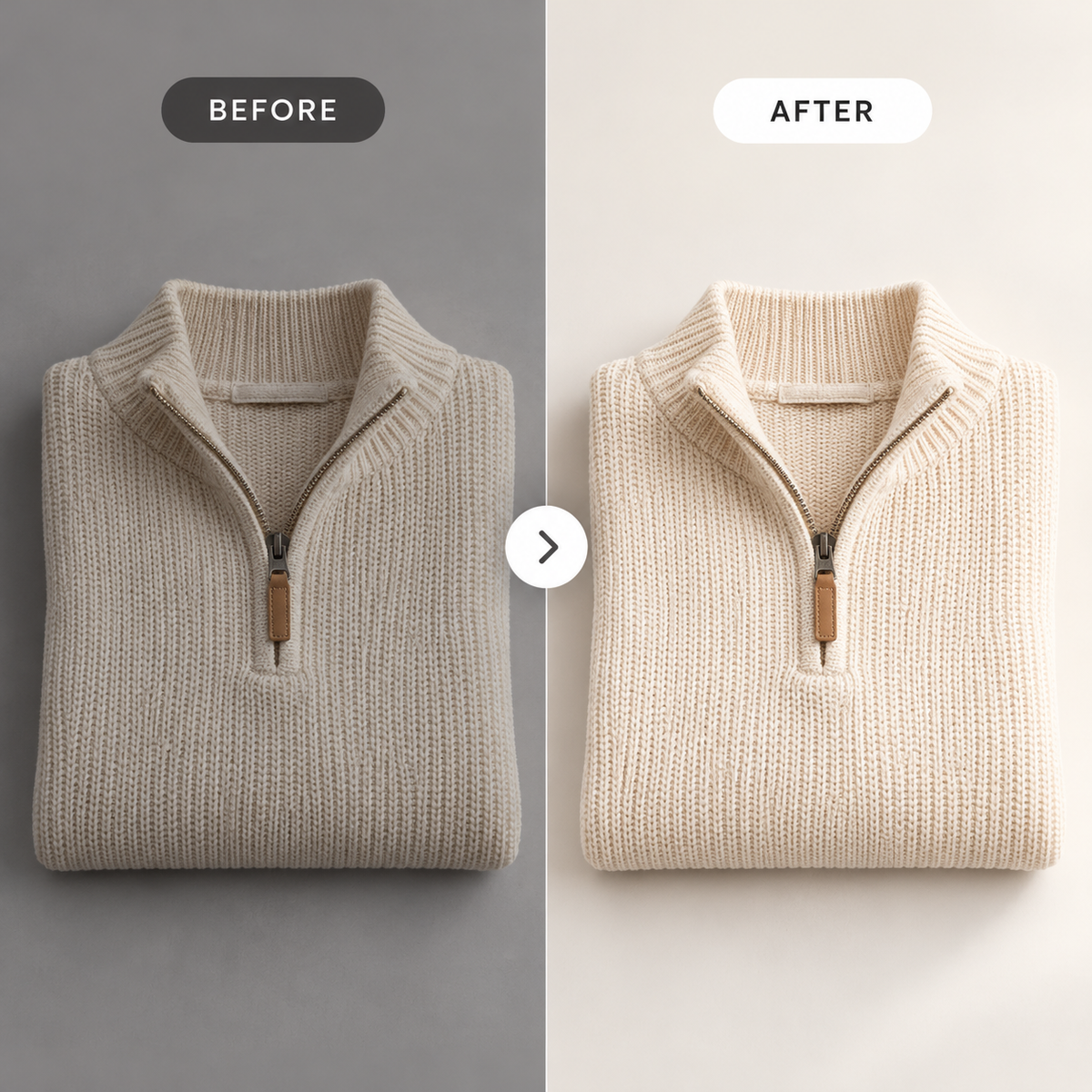
Make your product photos look cleaner, brighter and more professional with 15 Lightroom presets designed for ecommerce product photography.
Whether you're photographing clothing, trainers, jewellery, accessories, beauty products or homeware, these easy-to-use photo editing presets help you create a more consistent and polished look for your online store.
Perfect for independent sellers, small businesses and ecommerce brands looking to improve their product photography without complicated editing.
Why Use Product Photography Presets?
Great product photography helps customers see what you're selling.
These Lightroom presets give you a convenient starting point for improving everyday product photos, helping you:
Brighten dull product photos — improve the overall appearance of poorly lit images.
Create cleaner backgrounds — give product images a fresher, more professional appearance.
Enhance product details — improve contrast and definition so textures and features are easier to see.
Maintain a consistent style — make your product listings and online store look more cohesive.
Save time editing — apply a preset in Lightroom and make any final adjustments as needed.
Perfect for Ecommerce Sellers
Ideal for product photography used across online selling platforms, including:
eBay — create cleaner product photographs for your listings.
Shopify — build a consistent visual style across your online store.
Etsy — improve the presentation of handmade products, accessories and homeware.
Amazon — prepare product imagery while following Amazon's applicable image requirements.
Social media — create more professional product photographs for marketing and promotions.
What's Included?
15 product photography Lightroom presets
Lightroom Desktop preset files (.XMP)
Lightroom Mobile preset files (.DNG)
Installation guides for desktop and mobile
Digital download — no physical product will be shipped.
How Does It Work?
- Download your Lightroom preset collection.
- Import the presets into Adobe Lightroom.
-
Open your product photograph.
- Select a preset to apply your preferred look.
- Adjust brightness, white balance or colour where needed, then export your image.
- You don't need to be a professional photographer to improve the consistency of your product photos.
Who Is This For?
This collection is suitable for:
eBay sellers photographing clothing, electronics and accessories.
Shopify store owners building a professional product catalogue.
Etsy sellers photographing handmade products.
Small ecommerce businesses improving their product presentation.
Online sellers who want a simpler photo editing workflow.
Make Your Product Photos Look Professional
Give your product photographs a cleaner, more consistent appearance with 15 easy-to-use Lightroom presets.
Spend less time editing and more time growing your online business.


Everything you need to know before getting started.
Frequently Asked Questions
Do I need any HTML or coding knowledge?
No. Simply replace the placeholder text and images with your own content, then copy and paste the HTML into your eBay listing. No coding experience is required.
How do I receive my template?
Your template is available to download immediately after purchase. You'll receive instant access to all included files so you can start customising your listing straight away.
Can I customise the template?
Yes. You can edit the text, colours, images and other content to match your brand and products.
Does the template work on mobile devices?
Yes. Every Sellertivity template is fully responsive, ensuring your eBay listings look professional on desktop, tablet and mobile devices. The template needs to be copied into the desktop version of eBay.
What if I need help?
If you have any questions or need assistance customising or installing your template, simply get in touch and we'll be happy to help.